Yollomi LogoYollomi
LoginFree Trial
Text to Image1 creditsModel guide

Z-Image Turbo AI image generator

Z-Image Turbo is best for fast prompt exploration and social creative variants. This guide explains when to use it, how to prompt it, and how it differs from nearby Yollomi models. It currently starts at 1 credits on Yollomi.

Fast prompt exploration

Social creative variants

Low-friction concept drafts

Testing styles before a premium pass

Z-Image Turbo AI image generation example on Yollomi

Z-Image Turbo output examples

What you can create with Z-Image Turbo

Large visual examples first. Details stay below.

Visual guide
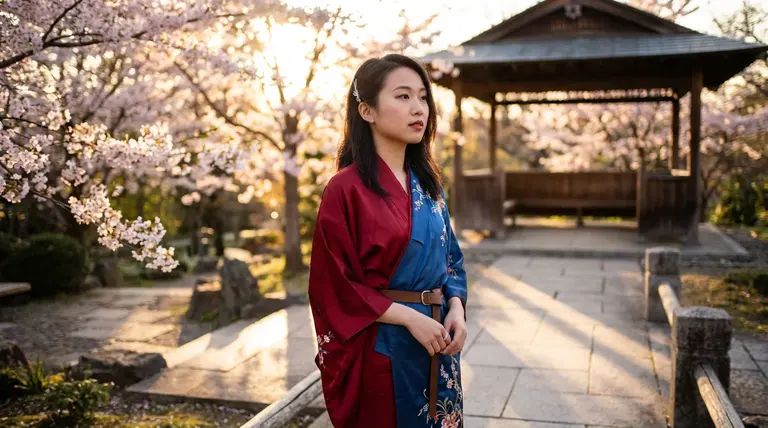
Z-Image Turbo Rapid Concept Drafts example
Example output

Rapid Concept Drafts

Explore several visual directions quickly before spending credits on a final high-fidelity render.

Z-Image Turbo Portrait and Product Ideas example
02

Portrait and Product Ideas

Turn prompts into portraits, product shots, creator assets, or branded image concepts.
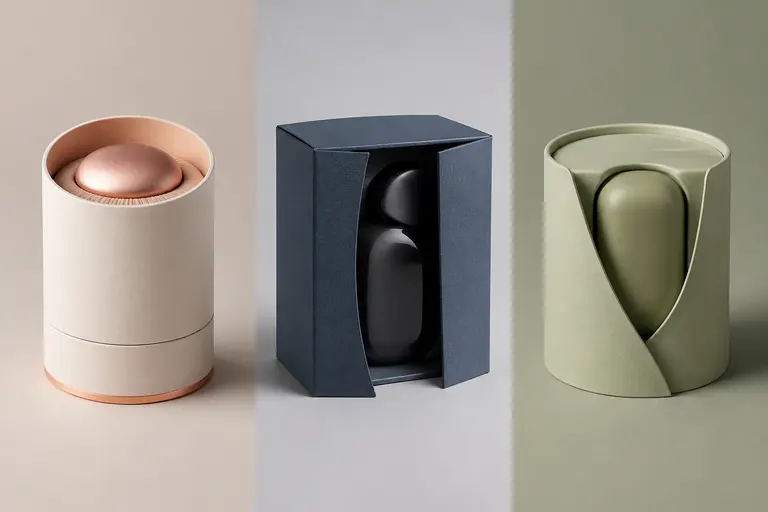
Z-Image Turbo Style and Format Testing example
03

Style and Format Testing

Compare aspect ratios, moods, lighting styles, and creative directions from one prompt family.

What makes Z-Image Turbo different

Z-Image Turbo is a Alibaba model for fast drafts, prompt exploration, social variants, and lower-cost iteration. Its page should target users who already know the model name and want to understand when it is the right choice, how to prompt it, and how it compares with adjacent image models.

How Z-Image Turbo fits into a real workflow

Use Z-Image Turbo when the brief can be described from text. Start with the subject and purpose, then add camera, lighting, format, style, and any constraints such as aspect ratio or no extra text.

Z-Image Turbo effect profile

Workflow

Text to Image

Provider

Alibaba

Look

versatile, creative, prompt-driven

Strength

fast drafts, prompt exploration, social variants, and lower-cost iteration

Prompt sensitivity

responds best to clear subject, style, composition, lighting, and output-use instructions

Best output stage

early ideation and quick variant generation

How to use Z-Image Turbo

Three steps. No long guide required.

Intent
Prompt
Refine
01

Pick the right intent

Fast prompt exploration

02

Start from a proven prompt

It gives the model subject, material, lighting, camera feel, and commercial purpose.

03

Compare and refine

Use Flux 2 Pro when cinematic polish and final-pass quality matter most.

How to prompt Z-Image Turbo

Start with the final use case: product hero, thumbnail, portrait, poster, concept art, or social ad.

Add composition and lighting language instead of relying on generic quality words.

Describe materials, mood, camera angle, and visual hierarchy.

Generate several quick variants, then move the winning direction to a higher-fidelity model if needed.

What to watch out for

Fast models are better for exploration than final polish.

Dense text, logos, or strict brand layouts may require GPT Image 2 or manual review.

Very broad prompts can make different models feel more similar than they really are.

Prompt lab

Z-Image Turbo prompt examples

Reusable recipes, collapsed by default.

Recipe structure
Subject
Exact text
Layout
Style
Constraints
01

Product Hero Image

premium ceramic coffee cup on a walnut desk, soft morning window light, shallow depth of field, minimal lifestyle product photography, clean space for headline
Full prompt + why
premium ceramic coffee cup on a walnut desk, soft morning window light, shallow depth of field, minimal lifestyle product photography, clean space for headline

It gives the model subject, material, lighting, camera feel, and commercial purpose.

02

Creator Portrait

confident tech creator portrait, dark navy background, soft blue rim light, friendly expression, professional editorial photo, 85mm lens
Full prompt + why
confident tech creator portrait, dark navy background, soft blue rim light, friendly expression, professional editorial photo, 85mm lens

It combines identity, mood, background, lighting, expression, and lens language.

03

Social Concept Art

futuristic city garden at sunset, glass towers covered with plants, people walking through warm mist, cinematic wide shot, optimistic climate-tech mood
Full prompt + why
futuristic city garden at sunset, glass towers covered with plants, people walking through warm mist, cinematic wide shot, optimistic climate-tech mood

It describes scene scale, environment, time of day, camera framing, and emotional direction.

Z-Image Turbo vs other models

Quick model choice.

Flux 2 Pro

Alternative

Use Flux 2 Pro when cinematic polish and final-pass quality matter most.

GPT Image 2

Alternative

Use GPT Image 2 when exact text, layout, or instruction following is the priority.

Nano Banana Pro

Alternative

Use Nano Banana Pro when the same person, character, or product must stay consistent across images.

?
?

FAQ

1

What is Z-Image Turbo best for?

Z-Image Turbo is best for fast prompt exploration, social creative variants, low-friction concept drafts, testing styles before a premium pass.

2

How should I prompt Z-Image Turbo?

Start with the final use case: product hero, thumbnail, portrait, poster, concept art, or social ad.

3

How many credits does Z-Image Turbo use?

Z-Image Turbo currently starts at 1 credits on Yollomi. Some settings may use more credits.