Yollomi LogoYollomi
LoginFree Trial
Text to VideoModel guide

Sora 2 AI Video Generator

Sora 2 is best for cinematic text-to-video prompts where the scene, motion, camera language, and atmosphere need to feel coherent. It is a strong choice for narrative concepts, product films, and polished short-form video ideas.

Cinematic text-to-video concepts

Narrative scenes and mood films

Product and brand video ideas

Social clips that need strong motion and atmosphere

Sora 2 cinematic AI video keyframe example on Yollomi

Sora 2 output examples

What you can create with Sora 2

Large visual examples first. Details stay below.

Visual guide
Sora 2 Cinematic Concept Videos example
Example output

Cinematic Concept Videos

Turn a script-like prompt into a short visual scene with camera movement, lighting, subject action, and atmosphere.
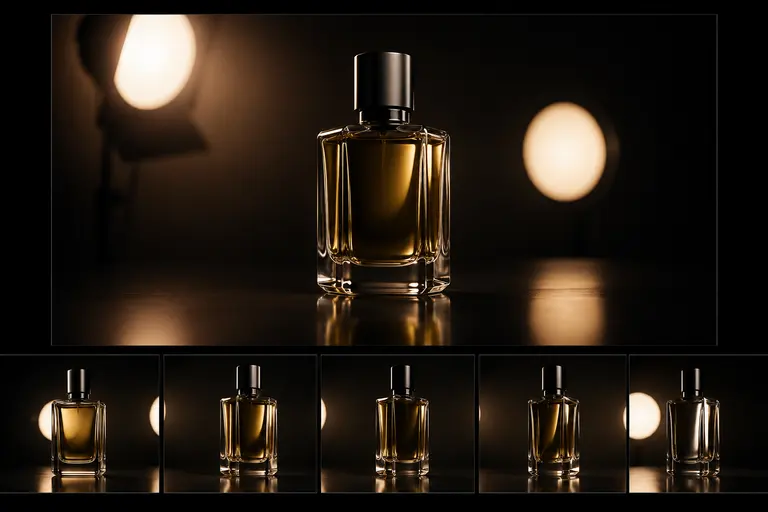
Sora 2 Brand Film Exploration example
02

Brand Film Exploration

Prototype product launch clips, hero visuals, and campaign moments before investing in production.

Sora 2 Story and Worldbuilding example
03

Story and Worldbuilding

Create atmospheric scenes for games, films, trailers, and creative pitches that need believable movement.

What makes Sora 2 different

Sora 2 is strongest when the prompt reads like a short scene brief. It handles subject action, camera movement, atmosphere, and cinematic continuity, making it a good fit for narrative clips and visually directed video concepts.

Where it wins in real workflows

Use it to prototype brand films, trailer moments, music-video shots, product scenes, and worldbuilding clips before production. It is best when you can describe motion, not just a still image.

Sora 2 effect profile

Look

cinematic, atmospheric, story-driven

Strength

text-to-video scenes with camera movement and coherent mood

Prompt sensitivity

needs explicit action, camera, time, lighting, and motion cues

Best output stage

narrative concepting and polished short-form video ideas

How to use Sora 2

Three steps. No long guide required.

Intent
Prompt
Refine
01

Pick the right intent

Cinematic text-to-video concepts

02

Start from a proven prompt

It specifies subject, action, location, camera movement, lighting, and visual mood.

03

Compare and refine

Use Veo 3.1 when reference control and Google-style high-fidelity outputs matter. Use Sora 2 for cinematic prompt-driven narrative scenes.

How to prompt Sora 2

Write prompts like a director: subject, action, camera movement, location, lighting, and mood.

Use verbs for motion: walks, rotates, drifts, pulls back, circles, pushes in.

Mention shot type such as macro shot, aerial wide shot, dolly shot, or slow tracking shot.

Avoid static image prompts; videos need movement and time.

What to watch out for

Still-image style prompts can lead to weak or unclear motion.

Very precise product labels or readable text may be unreliable in video.

Fast iteration may be cheaper with Hailuo Fast or other quick video models.

Prompt lab

Sora 2 prompt examples

Reusable recipes, collapsed by default.

Recipe structure
Subject
Exact text
Layout
Style
Constraints
01

Cinematic Street Scene

a woman in a silver coat walks through a rainy neon Tokyo street at night, slow dolly shot, reflections on wet pavement, cinematic lighting, shallow depth of field
Full prompt + why
a woman in a silver coat walks through a rainy neon Tokyo street at night, slow dolly shot, reflections on wet pavement, cinematic lighting, shallow depth of field

It specifies subject, action, location, camera movement, lighting, and visual mood.

02

Product Film

premium electric motorcycle parked in a desert at sunrise, camera slowly circles the vehicle, dust particles in warm light, cinematic commercial style
Full prompt + why
premium electric motorcycle parked in a desert at sunrise, camera slowly circles the vehicle, dust particles in warm light, cinematic commercial style

It frames the product, environment, camera path, and commercial style clearly.

03

Fantasy Establishing Shot

wide aerial shot of a floating castle above storm clouds, birds flying past camera, golden light breaking through, epic fantasy film opening
Full prompt + why
wide aerial shot of a floating castle above storm clouds, birds flying past camera, golden light breaking through, epic fantasy film opening

It asks for a specific shot type and motion cues, which helps video coherence.

Sora 2 vs other models

Quick model choice.

Google Veo 3.1

Alternative

Use Veo 3.1 when reference control and Google-style high-fidelity outputs matter. Use Sora 2 for cinematic prompt-driven narrative scenes.

Kling 2.1

Alternative

Use Kling 2.1 for human motion and performance shots. Use Sora 2 for broader cinematic scenes and story concepts.

Hailuo 2.3 Fast

Alternative

Use Hailuo Fast for quicker iterations. Use Sora 2 when the final clip needs stronger cinematic coherence.

?
?

FAQ

1

What is Sora 2 best for?

Sora 2 is best for cinematic AI videos, narrative scenes, product films, atmospheric clips, and prompt-driven visual storytelling.

2

How should I write a good Sora 2 prompt?

Include the subject, action, location, camera movement, lighting, mood, and output style. Video prompts work best when motion is explicit.

3

How many credits does Sora 2 use?

Sora 2 currently uses 10 credits per generation on Yollomi.

Sora 2 AI Video Generator | OpenAI Text to Video on Yollomi