Yollomi LogoYollomi
LoginFree Trial
Text to Image1 creditsModel guide

Real-ESRGAN AI image upscaler

Real-ESRGAN is best for photo resolution enhancement and sharper product images. This guide explains when to use it, how to prompt it, and how it differs from nearby Yollomi models. It currently starts at 1 credits on Yollomi.

Photo resolution enhancement

Sharper product images

Restoring low-resolution assets

Preparing images for larger placements

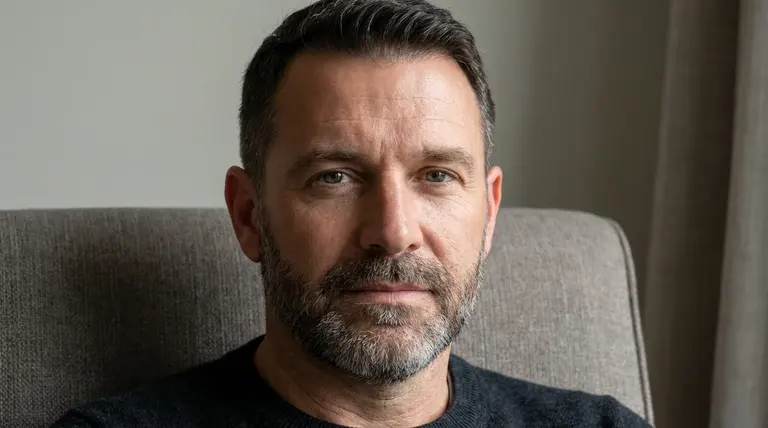
Real-ESRGAN image upscaling example on Yollomi

Real-ESRGAN output examples

What you can create with Real-ESRGAN

Large visual examples first. Details stay below.

Visual guide
Real-ESRGAN Sharper Finished Assets example
Example output

Sharper Finished Assets

Improve a selected image before using it in a landing page, ad, profile, or presentation.
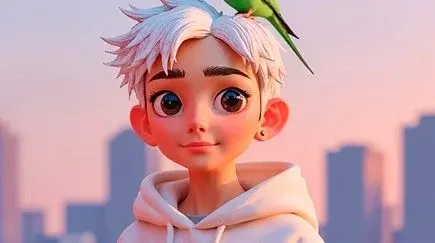
Real-ESRGAN Anime and Illustration Cleanup example
02

Anime and Illustration Cleanup

Preserve clean edges, outlines, and stylized details when enlarging illustrated artwork.
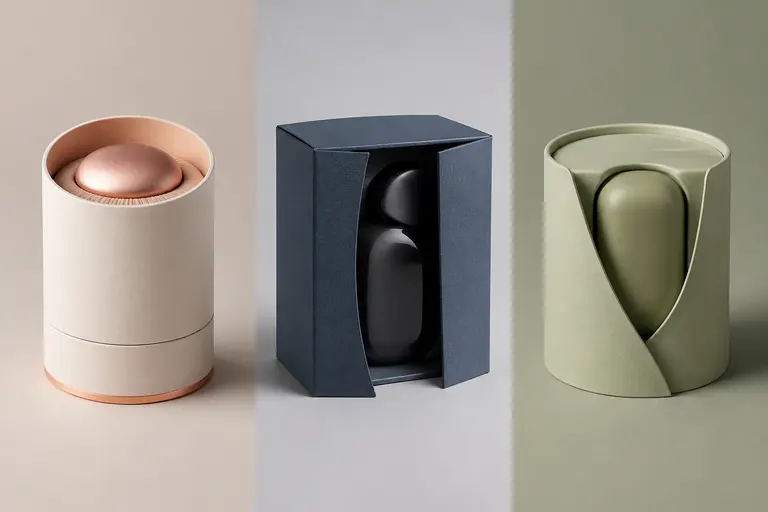
Real-ESRGAN Product and Social Exports example
03

Product and Social Exports

Prepare images for larger crops, thumbnails, social banners, or ecommerce placements.

What makes Real-ESRGAN different

Real-ESRGAN is a utility page for improving finished or near-finished images. It should target users who already have an image and need a cleaner, larger, or sharper output rather than a new generation.

How Real-ESRGAN fits into a real workflow

Upload the image, choose the upscaling workflow, then review edges, faces, line art, and fine details before using the result in a larger layout.

Real-ESRGAN effect profile

Workflow

Image Upscaler

Provider

Stability AI

Look

sharper, cleaner, higher-resolution

Strength

improving resolution and perceived detail

Prompt sensitivity

input image quality matters more than prompt wording

Best output stage

post-processing after image selection

How to use Real-ESRGAN

Three steps. No long guide required.

Intent
Prompt
Refine
01

Pick the right intent

Photo resolution enhancement

02

Start from a proven prompt

The workflow is about improving an existing asset rather than changing the creative direction.

03

Compare and refine

Generate a new image when the concept is wrong. Upscale when the concept is right but resolution is too low.

How to prompt Real-ESRGAN

Start from the cleanest available source image.

Use this after choosing the final image, not during early prompt exploration.

Check faces, text, and fine lines after upscaling.

For anime or illustration, prefer the anime-specific workflow when available.

What to watch out for

Upscaling cannot fully recover detail that is missing from a very poor source.

Tiny text and distorted faces may still need manual correction.

Over-compressed inputs can produce sharper compression artifacts.

Prompt lab

Real-ESRGAN prompt examples

Reusable recipes, collapsed by default.

Recipe structure
Subject
Exact text
Layout
Style
Constraints
01

Product Asset Cleanup

Upload a low-resolution product image and upscale it for a landing page hero section.
Full prompt + why
Upload a low-resolution product image and upscale it for a landing page hero section.

The workflow is about improving an existing asset rather than changing the creative direction.

02

Anime Wallpaper Export

Upload an anime-style character image and upscale it for a sharper desktop wallpaper.
Full prompt + why
Upload an anime-style character image and upscale it for a sharper desktop wallpaper.

Anime-specific upscaling protects line work and illustration edges.

03

Social Banner Prep

Upscale a square campaign image before cropping it into a wide social banner.
Full prompt + why
Upscale a square campaign image before cropping it into a wide social banner.

Extra resolution gives more room for cropping and layout.

Real-ESRGAN vs other models

Quick model choice.

Text-to-image models

Alternative

Generate a new image when the concept is wrong. Upscale when the concept is right but resolution is too low.

Photo Restoration

Alternative

Use restoration for damaged old photos. Use upscaling for clean images that need more size.

Anime Upscaler

Alternative

Use Anime Upscaler for illustrations and line art; use the general upscaler for photos and product visuals.

?
?

FAQ

1

What is Real-ESRGAN best for?

Real-ESRGAN is best for photo resolution enhancement, sharper product images, restoring low-resolution assets, preparing images for larger placements.

2

How should I prompt Real-ESRGAN?

Start from the cleanest available source image.

3

How many credits does Real-ESRGAN use?

Real-ESRGAN currently starts at 1 credits on Yollomi. Some settings may use more credits.

Real-ESRGAN AI image upscaler | Stability AI Model on Yollomi