
OpenAI GPT Image 2.5 Flare
Describe a subject, choose a format, then refine the first result.
Ready to Create
Describe a subject, choose a format, then refine the first result.
Ideas for OpenAI GPT Image 2.5 Flare
Style references, not a guarantee of results.

Social and Poster Creative
Create campaign concepts, thumbnails, posters, and creator assets with explicit layout and copy instructions.
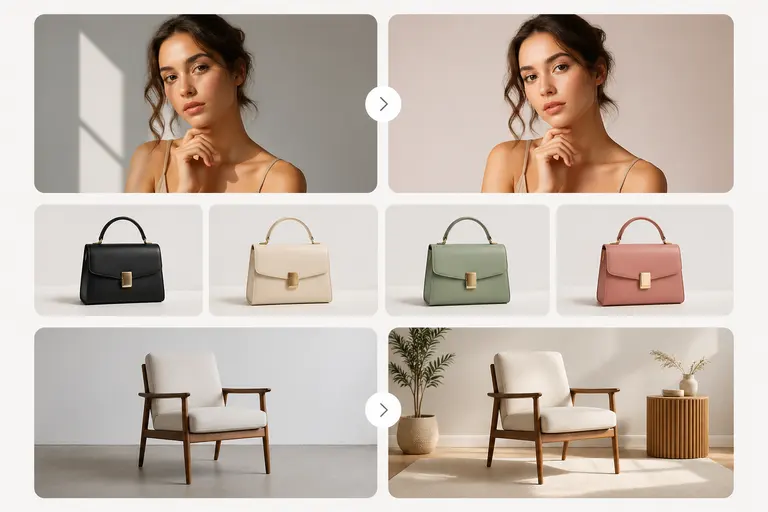
Precise Image Editing
Change a product, background, color, or line of copy while asking the model to preserve the rest of the composition.
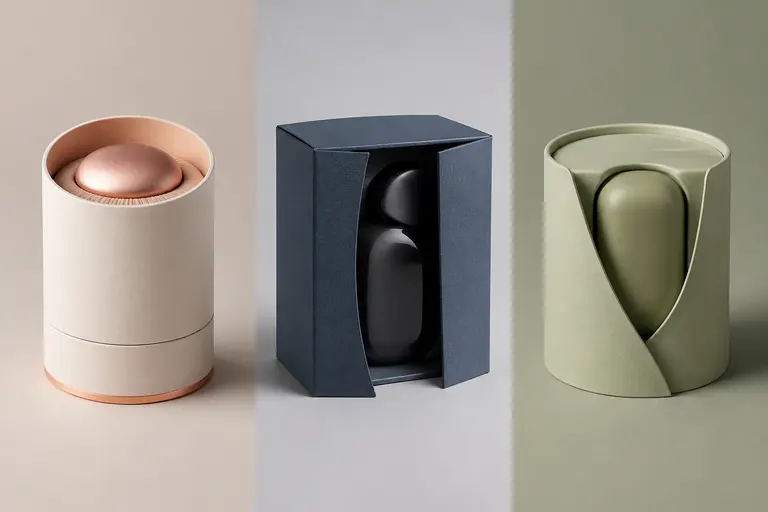
Brand and Product Variations
Explore multiple on-brief visual directions from the same reference images and creative constraints.
Prompts to try
Campaign Poster
Create a premium launch poster for a wireless speaker. Exact headline: "HEAR THE DIFFERENCE". Matte black product centered on a cool gray background, one soft blue rim light, restrained Swiss typography, generous margins, no extra text.
It identifies the product, exact copy, layout, lighting, typography direction, and elements to exclude.
Focused Product Edit
Keep the product, camera angle, label, reflections, and crop unchanged. Replace only the background with pale limestone in soft morning light. Add no props and no text.
The prompt separates the requested change from the details that must be preserved.
Transparent Product Cutout
A photorealistic three-quarter view of a cobalt blue running shoe, crisp studio lighting, accurate laces and sole texture, isolated subject, transparent background, no shadow outside the product, no text.
It combines a concrete subject and camera angle with explicit transparent-background and exclusion requirements.
Working with OpenAI GPT Image 2.5 Flare
- State the subject and intended use first, then specify composition, lighting, materials, and exact text.
- For edits, explicitly list what should change and what must remain unchanged.
- Use low quality for inexpensive drafts, high for refined work, and xhigh or max only when final detail justifies the higher cost.
Before you publish
- Dense small text and complex hands should still be reviewed before publishing.
- Auto quality is billed at 50 credits per image; choose a fixed lower tier when cost predictability matters.
- Reference fidelity is strong but not a substitute for legal and brand review of final assets.
OpenAI GPT Image 2.5 Flare FAQ
What is GPT Image 2.5 Flare?
GPT Image 2.5 Flare is an OpenAI image model available through Replicate for fast, high-quality everyday image generation and editing. It supports text and image inputs and returns up to 10 images per request.
How many credits does GPT Image 2.5 Flare use?
GPT Image 2.5 Flare costs 3 credits at low quality, 9 at medium, 25 at high, 50 at xhigh or auto, and 100 at max quality per output image.
Does GPT Image 2.5 support transparent backgrounds?
Yes. Choose a transparent background with PNG or WebP output when you need a cutout for product, design, or compositing work.
Can GPT Image 2.5 edit existing images?
Yes. Upload one or more reference images and describe the requested edit. For better preservation, explicitly name the parts that must remain unchanged.