
OpenAI GPT Image 2
Upload a photo and describe what to change and what to keep.
Ready to Create
Upload a photo and describe what to change and what to keep.
Ideas for OpenAI GPT Image 2
Style references, not a guarantee of results.
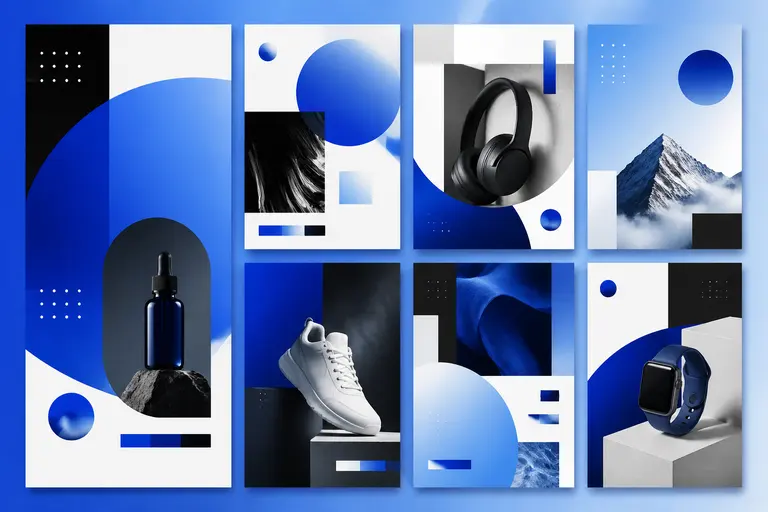
Posters and Social Creatives
Create ad concepts, campaign key visuals, thumbnails, and social posts where the prompt includes exact copy, composition, or visual hierarchy.
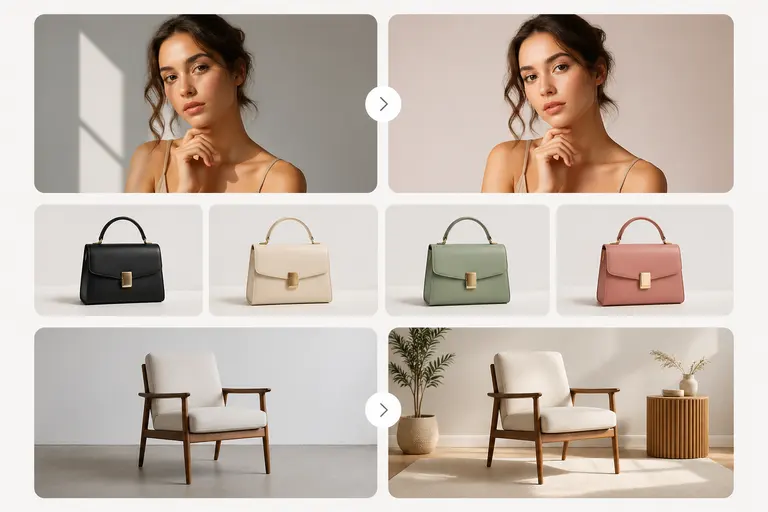
Prompt-Controlled Editing
Use reference images and natural-language instructions to change colors, objects, backgrounds, or layout while preserving the core idea.
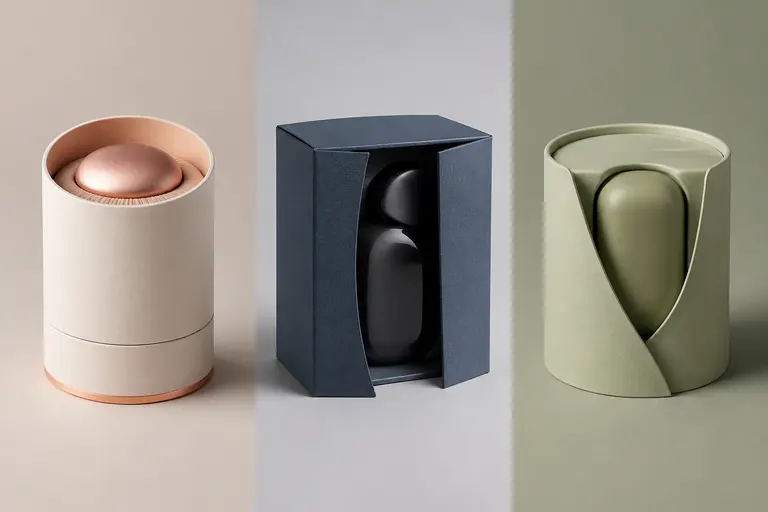
Brand and Product Variations
Generate multiple creative directions for the same product or message while keeping the brief explicit and repeatable.
Prompts to try
Readable Poster Text
minimal tech conference poster with the exact headline "AI BUILDERS 2026", bold black typography, electric blue gradient background, centered layout, clean grid, premium startup aesthetic
GPT Image 2 is strong when the prompt includes exact text, layout instructions, and visual hierarchy.
Brand Product Concept
a modern reusable water bottle on a white studio surface, label says "NOVA", soft shadow, clean ecommerce photography, three-quarter angle, premium sustainable brand style
The prompt gives exact label text, camera angle, lighting, and brand positioning.
UI Illustration
friendly SaaS dashboard hero illustration, abstract analytics cards floating in 3D space, soft shadows, blue and violet palette, clean vector-like style, no extra text
It asks for a controlled illustration style and explicitly prevents unwanted text.
Working with OpenAI GPT Image 2
- Put exact on-image text inside quotation marks.
- Describe layout explicitly: centered headline, product bottom right, white margin, poster grid, or no extra text.
- For edits, say what must stay unchanged and what should change.
Before you publish
- Can still miss exact typography on dense text blocks.
- May feel less cinematic than Flux 2 Pro for pure fashion/editorial imagery.
- High and auto quality cost more credits than quick drafts.
OpenAI GPT Image 2 FAQ
What is GPT Image 2 best at?
GPT Image 2 is best at following detailed prompts, rendering clearer text, creating branded layouts, and handling image edits from natural-language instructions.
Does GPT Image 2 support different quality levels?
Yes. On Yollomi, GPT Image 2 supports low, medium, high, and auto quality tiers so you can balance speed, cost, and detail.
How many credits does GPT Image 2 use?
GPT Image 2 starts at 3 credits for low quality. Medium, high, and auto quality settings use more credits.